 Rectifyq
Installing MISP + MISP Module
Ubuntu 24.04
Download and install Ubuntu 24.04 from here.
You can use any virtualization method you are familiar with such as Virtualbox, VMware Workstation, Hyper-V, etc.
My resource setup for this homelab MISP:
vCPU: 2
RAM: 2GB (Recommended 4GB above)
Disk: 60GB
Update && Upgrade
sudo apt-get update -y && sudo apt-get upgrade -y
Installing MISP 2.5
wget --no-cache -O /tmp/INSTALL.sh https://raw.githubusercontent.com/MISP/MISP/refs/heads/2.5/INSTALL/INSTALL.ubuntu2404.sh
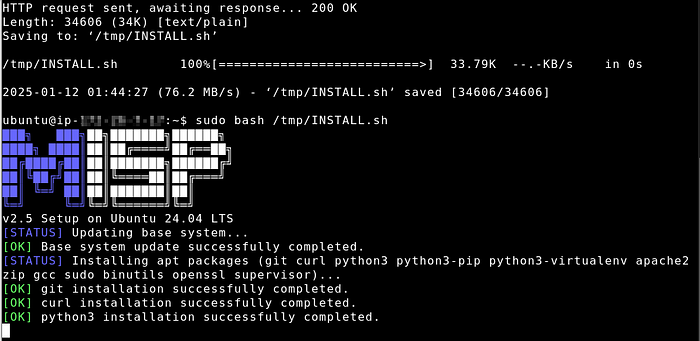
sudo bash /tmp/INSTALL.sh

Change BaseURL
Depending on how you host this MISP and the network adapter config (NAT/Bridge/etc.), change it accordingly
sudo -u www-data /var/www/MISP/app/Console/cake admin setSetting MISP.baseurl https://your-ip-or-domain.com
Login and change your password.
Install MISP Modules
sudo -u www-data virtualenv -p python3 /var/www/MISP/venv
sudo apt-get install python3-dev python3-pip libpq5 libjpeg-dev tesseract-ocr libpoppler-cpp-dev pkg-config imagemagick virtualenv libopencv-dev zbar-tools libzbar0 libzbar-dev libfuzzy-dev build-essential -y
sudo -u www-data /var/www/MISP/venv/bin/pip install misp-modules
sudo -u www-data /var/www/MISP/venv/bin/pip install \
    git+https://github.com/cartertemm/ODTReader.git \
    git+https://github.com/abenassi/Google-Search-API \
    git+https://github.com/SteveClement/trustar-python.git \
    git+https://github.com/sebdraven/pydnstrails.git \
    git+https://github.com/sebdraven/pyonyphe.git
sudo nano /etc/systemd/system/misp-modules.service
Then write the following in the file
[Unit]
Description=MISP modules
After=network.target

[Service]
User=www-data
Group=www-data
Environment="PATH=/var/www/MISP/venv/bin/"
ExecStart=/var/www/MISP/venv/bin/misp-modules -l 127.0.0.1
Restart=always


[Install]
WantedBy=multi-user.target
sudo chmod 774 /etc/systemd/system/misp-modules.service
sudo systemctl daemon-reload
sudo systemctl enable --now misp-modules
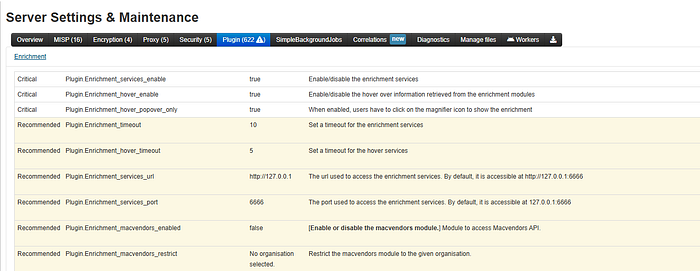
Enable it in Administration > Server Settings & Maintenance > Plugins